





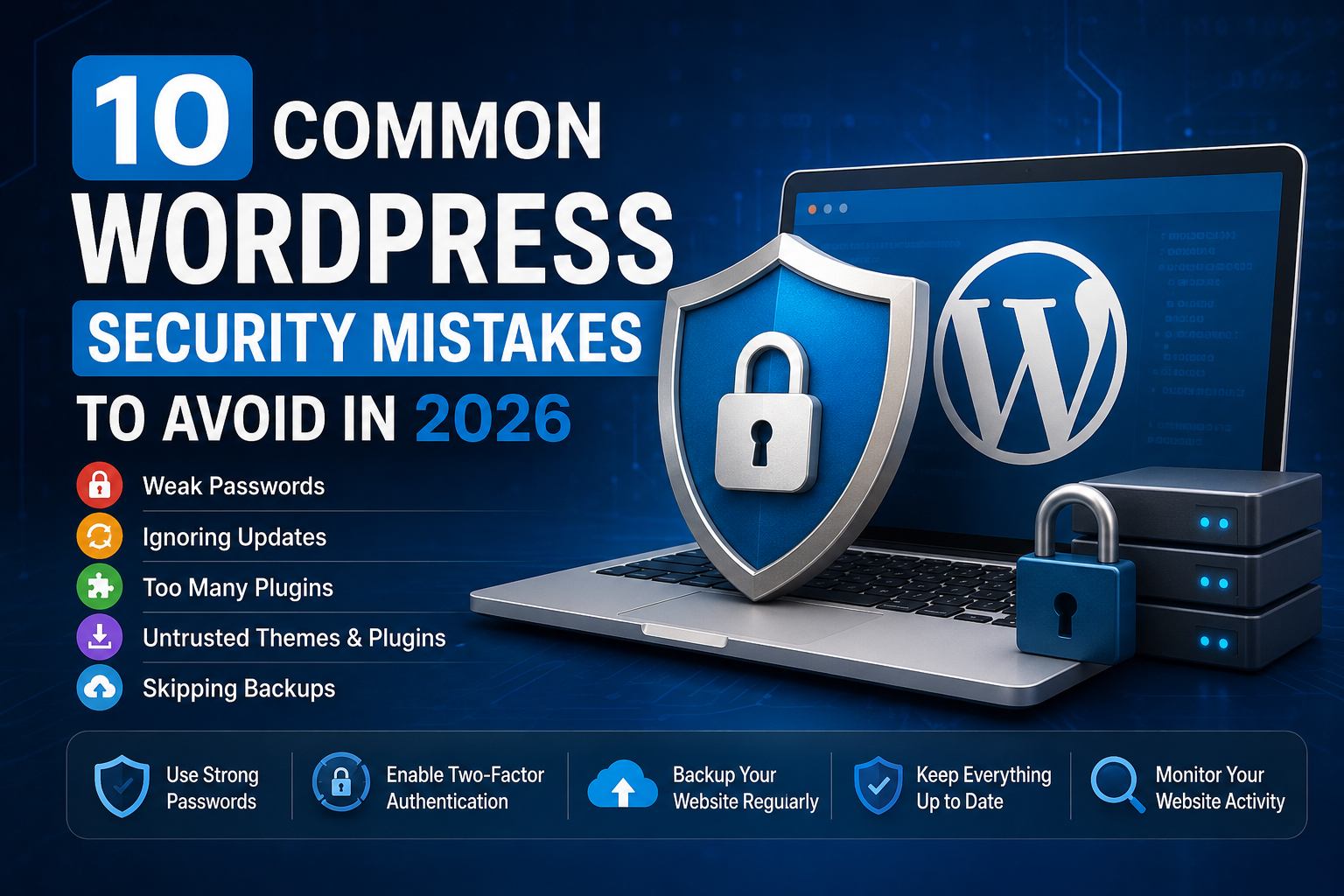
WordPress Security Mistakes Running a WordPress website has never been easier, but keeping it secure requires ongoing attention. Because WordPress powers millions of websites around the world, it remains one of the most popular targets for automated attacks. The good news is that most website compromises happen because of simple mistakes that are easy to avoid. By understanding these common WordPress security mistakes, you can greatly reduce the chances of your website being hacked, infected with malware, or losing important data.
1. Using Weak Passwords
One of the biggest security mistakes is using passwords that are easy to guess. Attackers use automated tools capable of trying thousands of password combinations every minute.
Avoid passwords such as:
- admin123
- password
- qwerty123
- your website name
Instead, use long passwords containing uppercase and lowercase letters, numbers, and special characters. A password manager can generate and store secure passwords so you don’t have to remember each one.
If your website has multiple users, encourage everyone to use unique passwords for their accounts.
2. Not Enabling Two-Factor Authentication
Passwords alone are no longer enough in 2026.
Two-factor authentication (2FA) adds another verification step before someone can log in. Even if a hacker discovers your password, they still cannot access your account without the second authentication factor.
Many free WordPress security plugins make enabling 2FA simple, and the few minutes required to set it up can significantly improve your website’s security.
3. Ignoring WordPress Updates
Every WordPress update includes bug fixes, performance improvements, and security patches.
Delaying updates leaves your website vulnerable because attackers actively search for websites running outdated versions.
Always keep the following updated:
- WordPress core
- Themes
- Plugins
Before major updates, create a complete backup so you can restore your website if something unexpected happens.
4. Installing Too Many Plugins
Plugins add useful features, but installing dozens of unnecessary plugins increases security risks.
Each plugin introduces additional code, and poorly maintained plugins may contain vulnerabilities that attackers can exploit.
Only install plugins that you genuinely need, remove unused ones, and choose plugins that receive regular updates from reputable developers.
A smaller plugin collection usually results in a faster and more secure website.
5. Downloading Themes and Plugins from Untrusted Sources
Free “premium” plugins and themes found on unknown websites often contain hidden malware or malicious code.
Although they may appear to work normally, they can create hidden administrator accounts, redirect visitors, inject spam, or steal sensitive information.
Always download WordPress themes and plugins from trusted sources such as the official WordPress Plugin Directory or the developer’s official website.
Saving a few dollars on a premium plugin is never worth risking your entire website.
6. Using the Default Administrator Username
Many automated attacks still begin by trying to log in using the username “admin.”
If your administrator account uses this username, attackers already know half of your login credentials.
Instead, create an administrator account with a unique username and remove the default “admin” account whenever possible.
Combined with a strong password, this simple change makes brute-force attacks more difficult.
7. Skipping Regular Website Backups
Even the most secure websites can experience unexpected problems.
Hardware failures, accidental deletions, plugin conflicts, or successful attacks can all result in lost data.
Regular backups ensure you can quickly restore your website.
A good backup strategy includes:
- Automatic daily backups
- Weekly full backups
- Off-site storage
- Testing backup restoration periodically
Never rely solely on your hosting provider’s backups.
8. Leaving Unused Plugins and Themes Installed
Many website owners deactivate plugins instead of deleting them.
Inactive plugins and themes can still become security risks if vulnerabilities are discovered.
If you no longer use a plugin or theme, remove it completely.
Keeping only active and necessary components reduces your website’s attack surface.
9. Choosing Cheap or Poor-Quality Hosting
Your hosting provider plays an important role in website security.
Reliable hosting companies provide features such as:
- Malware scanning
- Firewalls
- Automatic backups
- DDoS protection
- Server monitoring
- Fast security updates
Extremely cheap hosting often sacrifices security, performance, and reliability.
Investing in quality hosting can prevent many common security issues before they occur.
10. Failing to Monitor Website Activity
Many website owners only discover a security issue after visitors report suspicious behavior.
Regular monitoring helps detect problems early.
Monitor:
- Login attempts
- New administrator accounts
- File changes
- Plugin installations
- Website uptime
- Security alerts
Many WordPress security plugins can notify you immediately when unusual activity occurs.
Early detection often prevents a small problem from becoming a major incident.
Additional WordPress Security Tips
Beyond avoiding the mistakes above, these best practices can further strengthen your website:
- Enable HTTPS using an SSL certificate.
- Limit login attempts to reduce brute-force attacks.
- Use a web application firewall (WAF).
- Scan your website regularly for malware.
- Disable file editing from the WordPress dashboard if you do not need it.
- Review administrator accounts regularly.
- Remove users who no longer require access.
- Keep your PHP version updated.
- Use secure FTP or SSH instead of unsecured connections whenever possible.
Security is not a one-time task. It requires regular maintenance and attention.
Why WordPress Security Matters in 2026
Cyber threats continue to evolve every year. Automated bots constantly scan the internet for vulnerable WordPress websites, often targeting outdated plugins, weak passwords, and unpatched installations.
A compromised website can lead to stolen customer information, malware infections, search engine warnings, lost rankings, reduced traffic, and damage to your reputation. Recovering from an attack often takes far more time and money than preventing one in the first place.
By following WordPress security best practices and avoiding the common mistakes covered in this guide, you can significantly improve your website’s resilience against modern threats.
Final Thoughts
Most WordPress websites are not hacked because attackers use advanced techniques. They are compromised because basic security practices are ignored. Strong passwords, timely updates, trusted plugins, reliable hosting, regular backups, and continuous monitoring form the foundation of a secure WordPress website.
Make security part of your routine instead of something you only think about after a problem occurs. Spending a few minutes each week reviewing your website’s security can save you countless hours of recovery later. In 2026, proactive security remains one of the smartest investments any WordPress website owner can make.